WhatsApp MY
Unlock your AutomaticSales.ai Experience with Unlimited WhatsApp Sending
*WhatsApp/WhatsApp Business
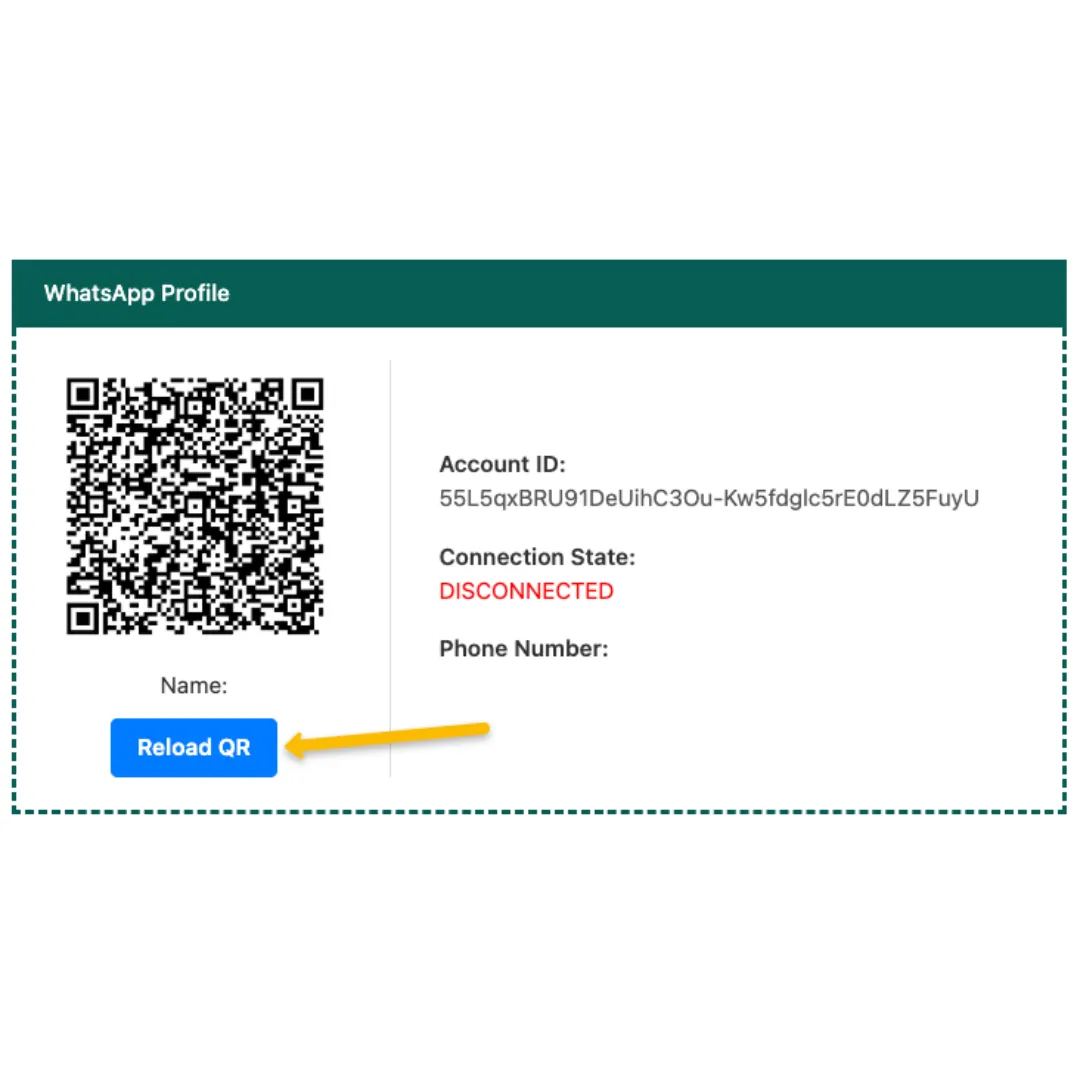
Step 1
Reload QR
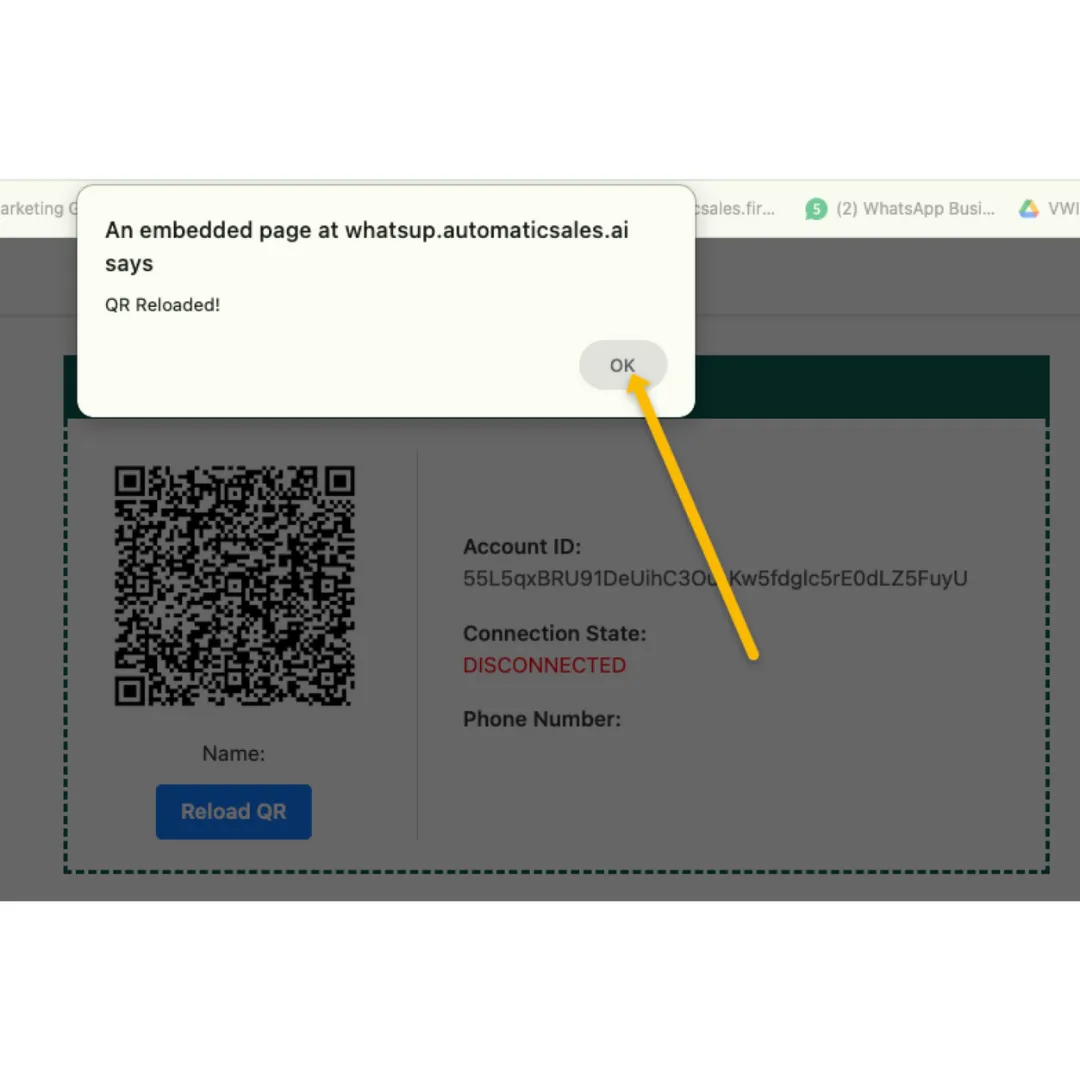
Step 2
Press OK
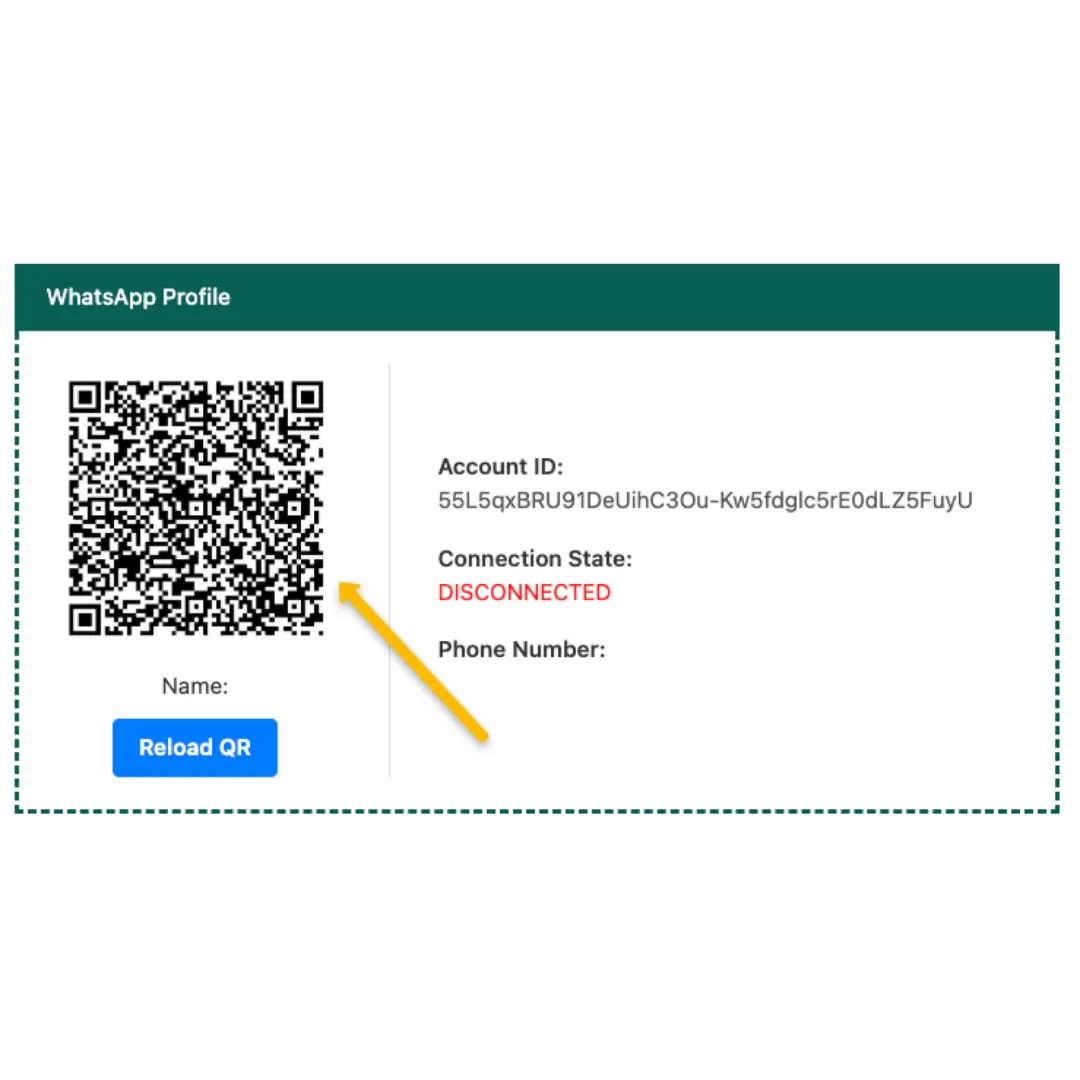
Step 3
Wait for QR Change
Step 4
Wait Syncing Finish
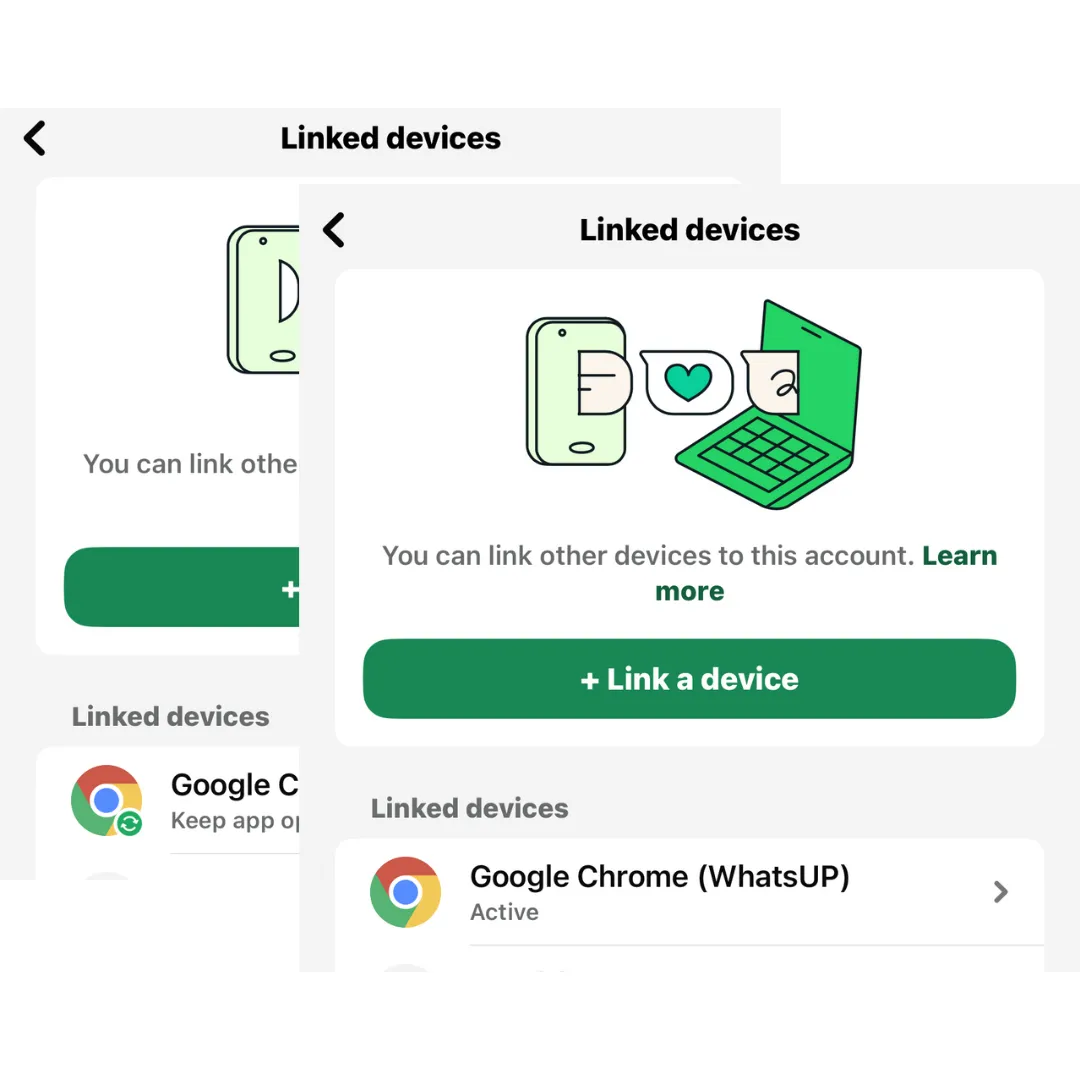
How to Change WhatsApp No.
If you want to change the WhatsApp
🔰 Click on the LOGOUT button
🔰 Scan the QR code for the new WhatsApp number
🔰 Wait for Syncing Completely
QR Code No Load
If you are not able to see the QR code
🔰 Click RELOAD QR button
🔰 Refresh your AutomaticSales.ai Page
🔰 Scan the QR code to get connected
*You may need to scan the QR code twice*
One Account has default ONE Integration WhatsApp, ONE admin can access this page
If want more Admins access this page, contact AS technical team with WhatsApp - 601112436811
How to use it in AutomaticSales.ai System
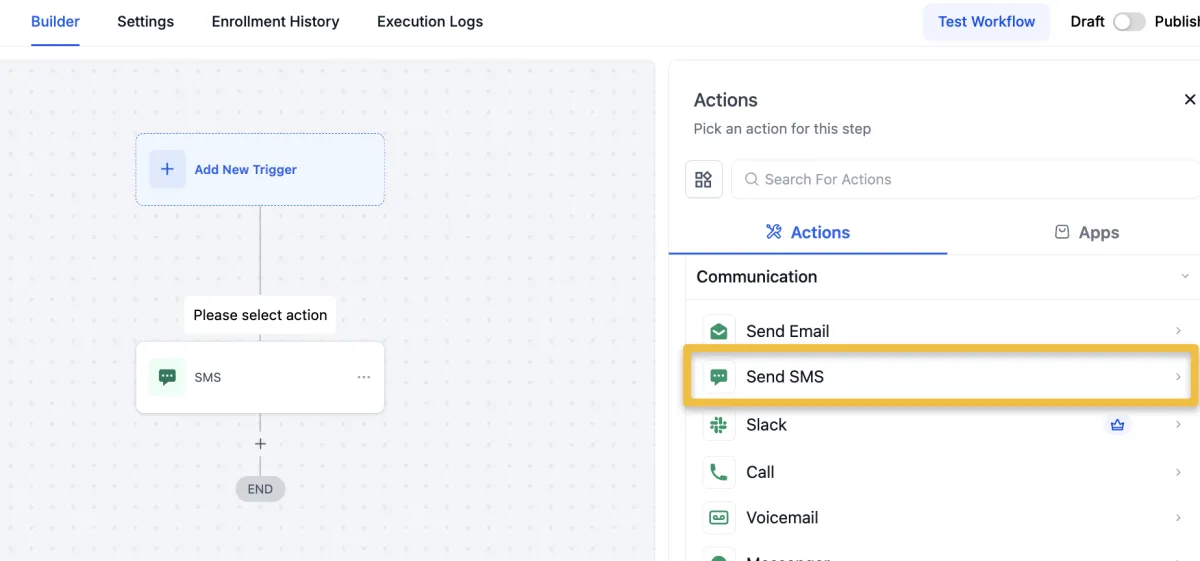
Automation Action
Send WhatsApp Message
Send SMS
*SMS = WhatsApp/WhatsApp Business Platform
*Using Drip Mode for this Action (1ppl/1min)

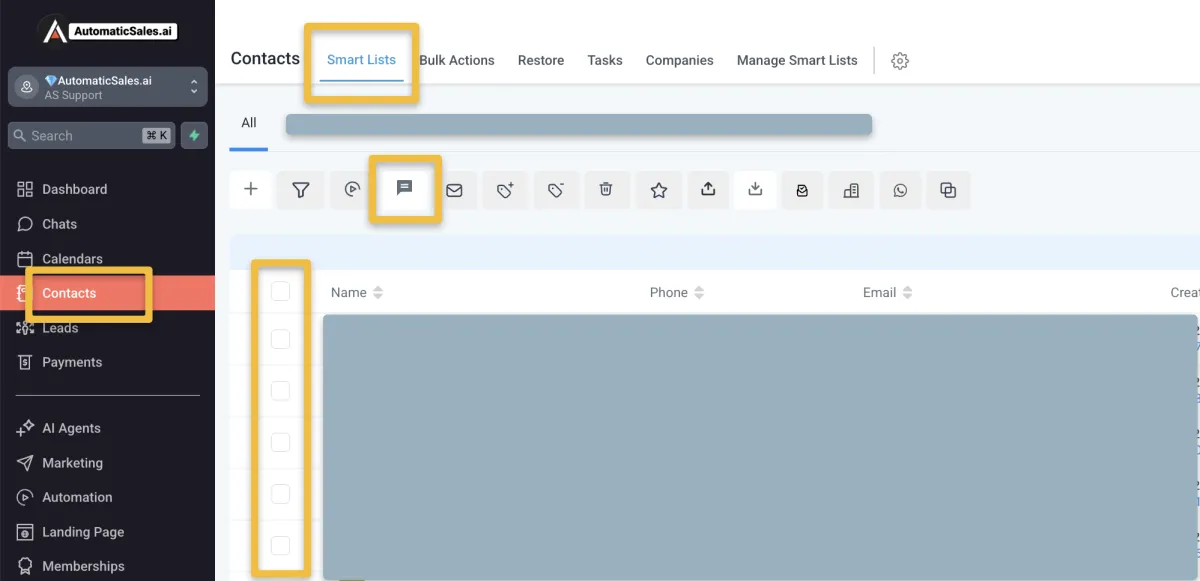
Bulk SMS
Send Broadcast Message
Send SMS
*SMS = WhatsApp/WhatsApp Business Platform
*Using Drip Mode for this Action (1ppl/1min)

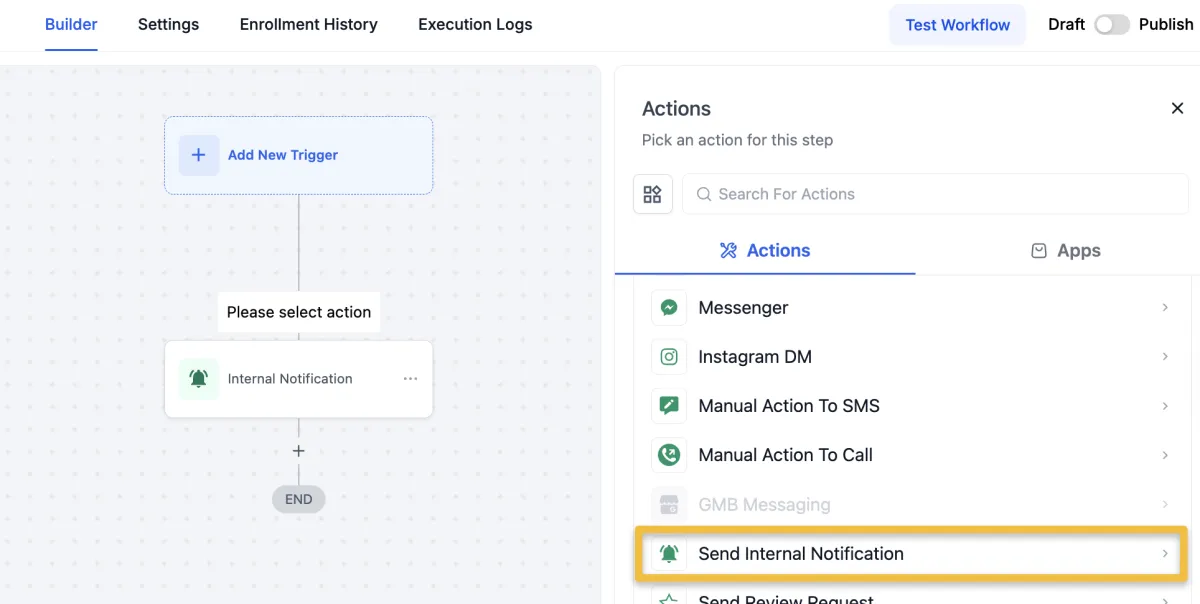
Automation - Internal Notification
*One WhatsApp Integration in AS
Send Internal Notification
Type of Notification: SMS
Automation - Internal Notification
*More WhatsApp Integration in AS
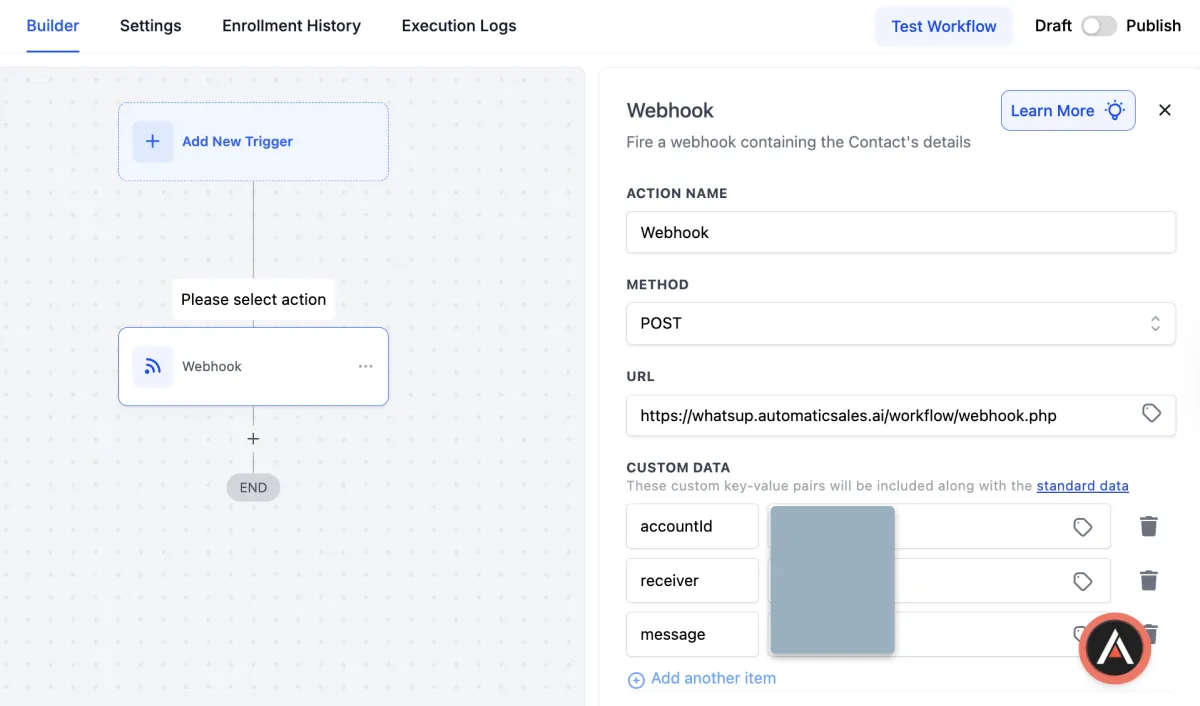
Webhook URL -
https://whatsup.automaticsales.ai/workflow/webhook.php
accountId - “find in the WHATSAPP MY”
receiver - “receiver phone number, exp: 60123456789”
message - “message content”
**the receiver phone must registered in Setting > My Staff
**just copy and paste in automation Webhook action